Filters and sorting
Narrowing a table to exactly the Entries you need: conditions, AND and OR groups, filtering by Links and Lists, and sorting.
Filters choose which Entries a table shows; sorting chooses their order. Both work on Hubs and Lists, on tables and boards, and both can be saved into a View.
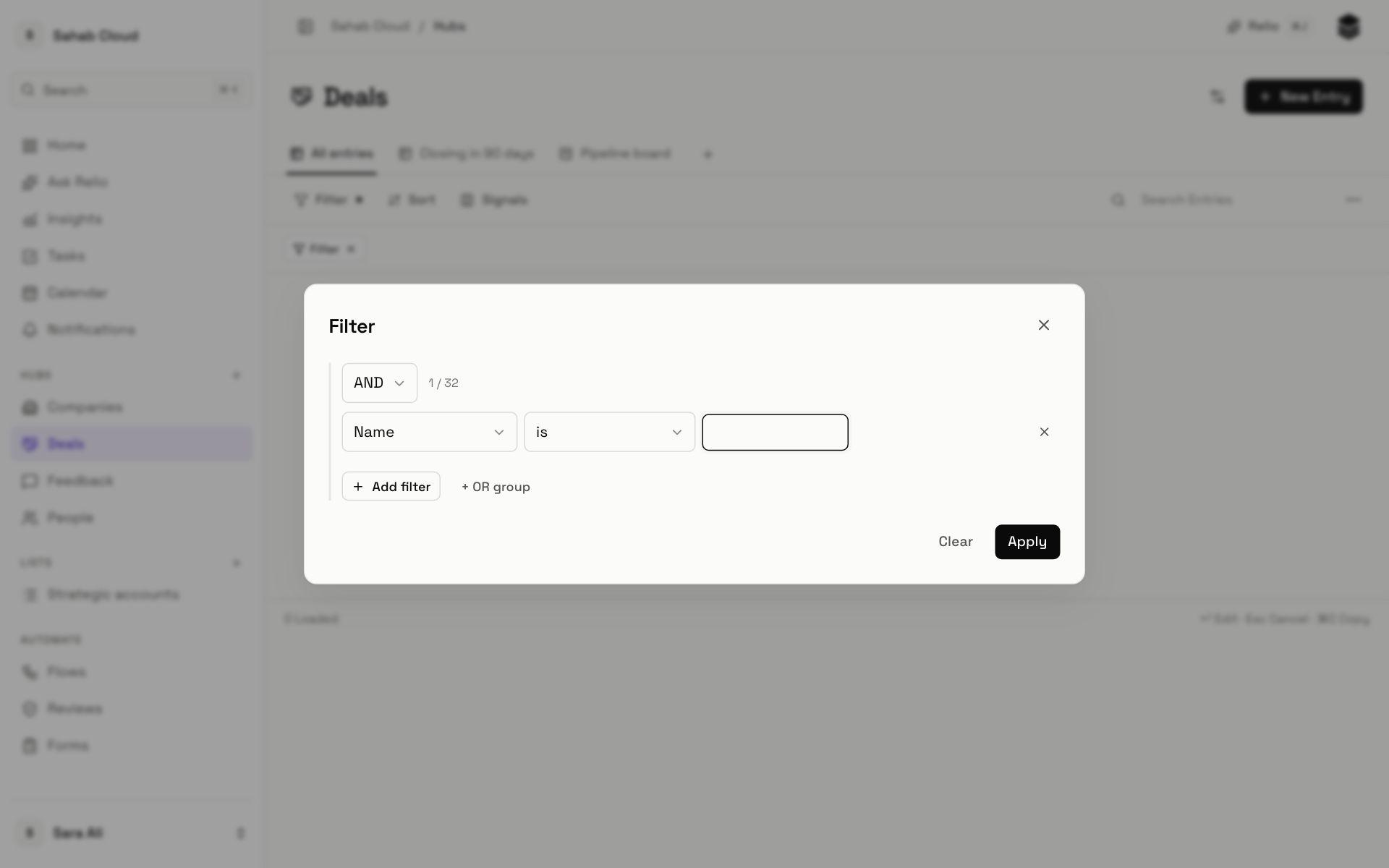
Adding a filter
- Click Filter in the toolbar.
- Choose what to filter on — a Signal, a Link or a List.
- Choose the operator, such as is, contains or greater than.
- Enter the value. For is any of and similar, separate values with commas.
- Click Apply.
A dot on Filter shows a filter is active. Click Filter again to change it, or clear it from the chip under the toolbar.
Operators
| Operator | Matches | Works with |
|---|---|---|
| is, is not | Exactly this value | Text, numbers, dates, choices, people, yes/no |
| contains, does not contain | Text that includes this | Text, email, phone, URL, long text |
| starts with, ends with | Text beginning or ending with this | Text, email, phone, URL |
| greater than, at least, less than, at most | Above or below a value | Numbers, currency, percentage, dates |
| between | Between two values | Numbers, currency, percentage, dates |
| before, after | Earlier or later than a date | Dates |
| is any of, is none of | One of several values | Text, numbers, choices, people |
| has, has any, has all | Multi-choice Signals holding these options | Multi-select |
| is empty, is not empty | No value, or any value | Every type |
Combining conditions
Add filter adds a condition that must also match (AND). + OR group adds a group where any one condition is enough. Groups can be nested three deep, with up to 32 conditions in a group.
Example — *open deals worth over SAR 100,000, or any deal in Negotiation*:
- Value greater than 100000 AND Stage is none of Won, Lost
- OR group: Stage is Negotiation
Filtering by Links
Filters can look across a Link:
| Operator | Matches |
|---|---|
| has any | Entries with at least one linked Entry — People who have a Company |
| has none | Entries with no linked Entry — Companies with no People |
| is | Entries linked to a particular Entry — People at Acme |
| has one where | Entries linked to one that matches its own filter — People whose Company's Industry is Real estate |
Filtering by List
On a Hub, filter by a List with is on or is not on — "Companies that are not on Account Renewals". On a List, its own Signals, like Stage, can be filtered like any other.
Sorting
Click Sort, choose a Signal and Ascending or Descending. Add more sorts to break ties — Stage, then Value descending. The badge on Sort shows how many are set. Multi-select Signals cannot be sorted.
Searching a table
The Search Entries box in the toolbar finds Entries by name within the current table, on top of any filter. For everything else, use a filter.
Checked against Relio on 29 October 2026