Lists
Running a process over your Entries: templates, adding Entries, List Signals like Stage, boards, and taking Entries off.
A List follows a process over the Entries of one Hub: a sales pipeline over Deals, onboarding over Companies, event attendance over People. The Entries stay in their Hub; the List adds what belongs to the process — a Stage, a Kickoff date, an Onboarding owner.
That separation is the point. The same Company can be in Onboarding and in Renewals at once, at a different stage in each, and its own details are never copied.
Creating a List
You can create a List over any Hub whose Entries you can edit.
- In the sidebar, click + next to Lists (or ⌘K → New List).
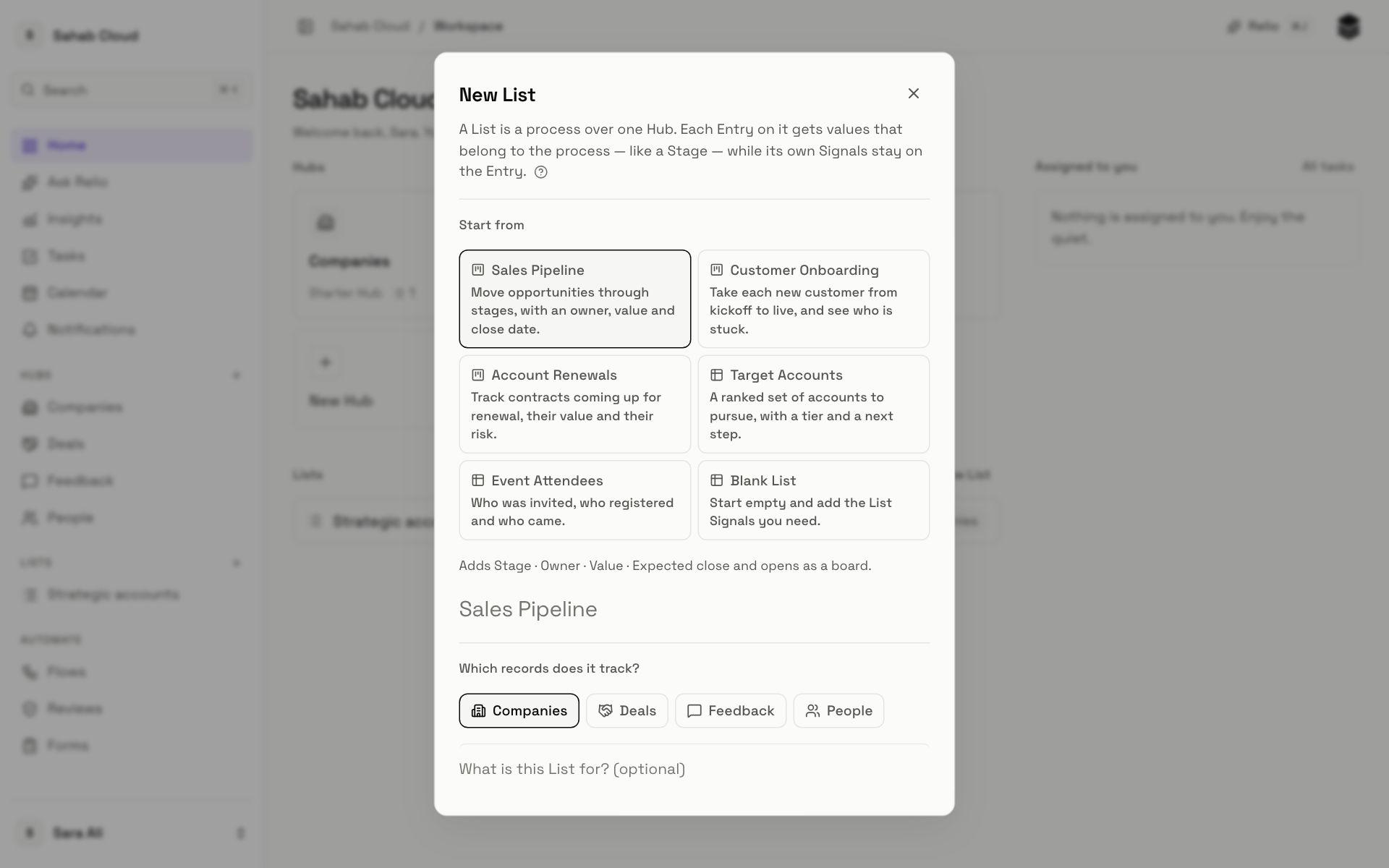
- Start from a template, or Blank List.
- Name it — templates suggest a name.
- Which records does it track? — choose the Hub.
- Optionally describe what the List is for.
- Click Create List. A List made from a template opens on the View it was made with — a pipeline as its board.
Templates
| Template | Usually tracks | Adds | Opens as |
|---|---|---|---|
| Sales Pipeline | Deals | Stage (Lead, Qualified, Proposal, Negotiation, Won, Lost), Value, Expected close, Owner | Board |
| Customer Onboarding | Companies | Stage (Kickoff, Setup, Training, Live), Health (On track, At risk, Blocked), Go-live date, Owner | Board |
| Account Renewals | Companies | Renewal status (Upcoming, In discussion, Renewed, Churned), Renewal date, Contract value, Risk, Owner | Board |
| Target Accounts | Companies | Tier, Next step, Owner | Table |
| Event Attendees | People | Status (Invited, Registered, Attended), Checked in | Table |
| Blank List | Any Hub | Nothing — add your own Signals | Table |
You choose the Hub yourself, so a template works over any Hub — Account Renewals over a Properties Hub, for example.
The dialog shows exactly which Signals a template adds before you create it.
Adding Entries
On the List, click Add and search the Hub's Entries. Each one you choose is added at once; the dialog counts how many. To add one that does not exist yet, choose Create a new Entry on this List — it is created in the Hub and added in one step.
You can also add from the Entry itself: in its preview, under Lists, choose Add to List.
Flows can add Entries for you — "when a Deal reaches Won, add its Customer to Customer Onboarding". See Flows.
List Signals
List Signals hold what is true about an Entry *in this process*. Templates create them; admins can add more from the List's Settings, just like a Hub's Signals.
In a List's table, its own Signals sit alongside the Hub's. Both are editable, and both can be filtered, sorted and used in Views.
Boards
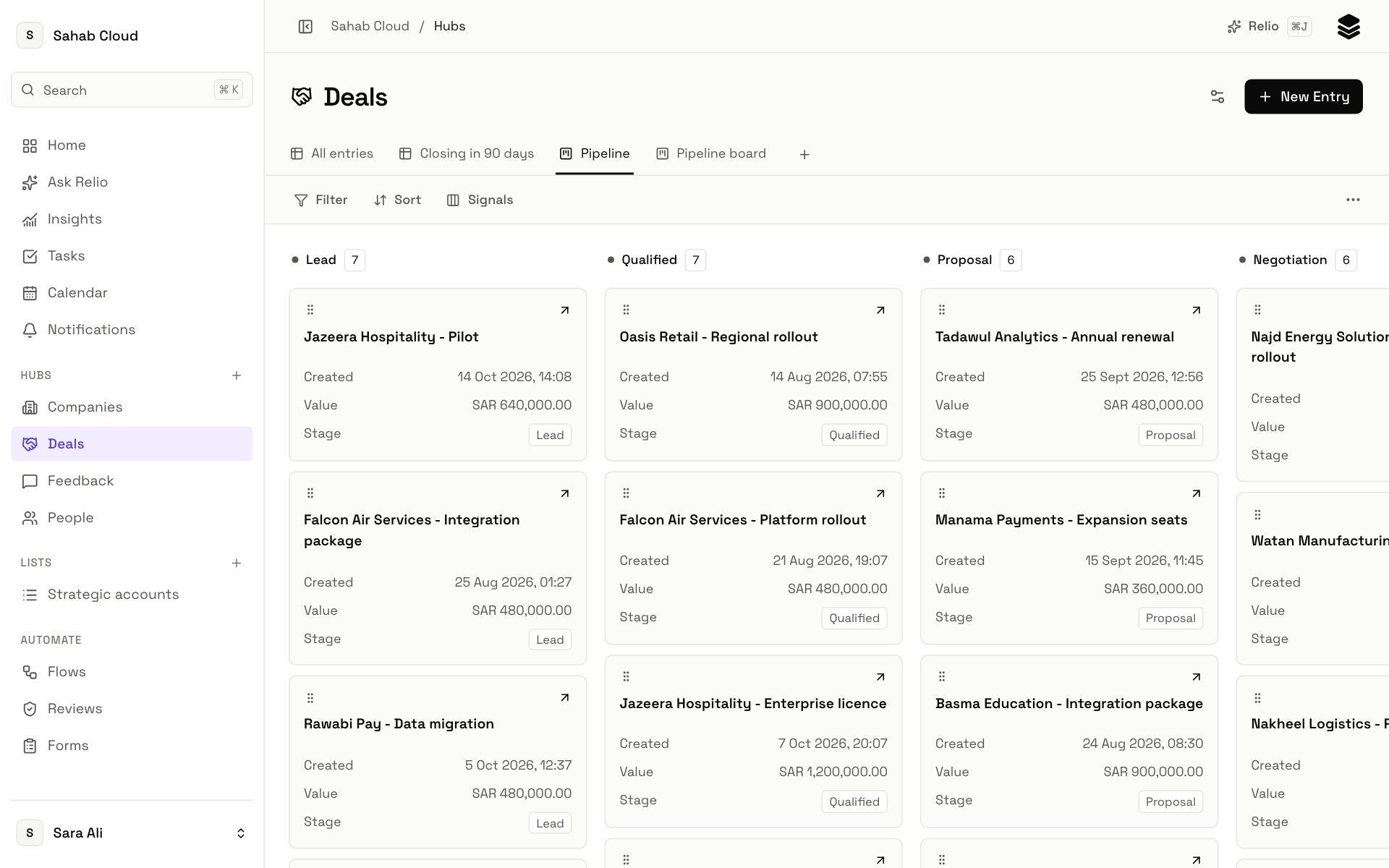
A List — or a Hub — can be shown as a board grouped by any select, yes/no or AI choice Signal: one column per value, one card per Entry. Drag a card to another column to change its value. If the change cannot be saved — someone else changed it, or you cannot edit that Signal — the card goes back and Relio tells you.
To make a board, create a View with the type Kanban and choose what to Group by.
Taking Entries off a List
Tick Entries and choose Remove from List, or use Remove from {list} in an Entry's preview.
Checked against Relio on 29 October 2026