Ask Relio
Asking questions about your workspace in plain language, checking how an answer was found, and confirming the changes Relio proposes.
Ask Relio answers questions about your workspace in your own words, in English or Arabic. *Which deals close this month?* *Who at Acme have we not contacted in 30 days?* *Show pipeline value by stage.* It can also propose changes — create Tasks, draft a Form or a Flow — which happen only when you confirm.
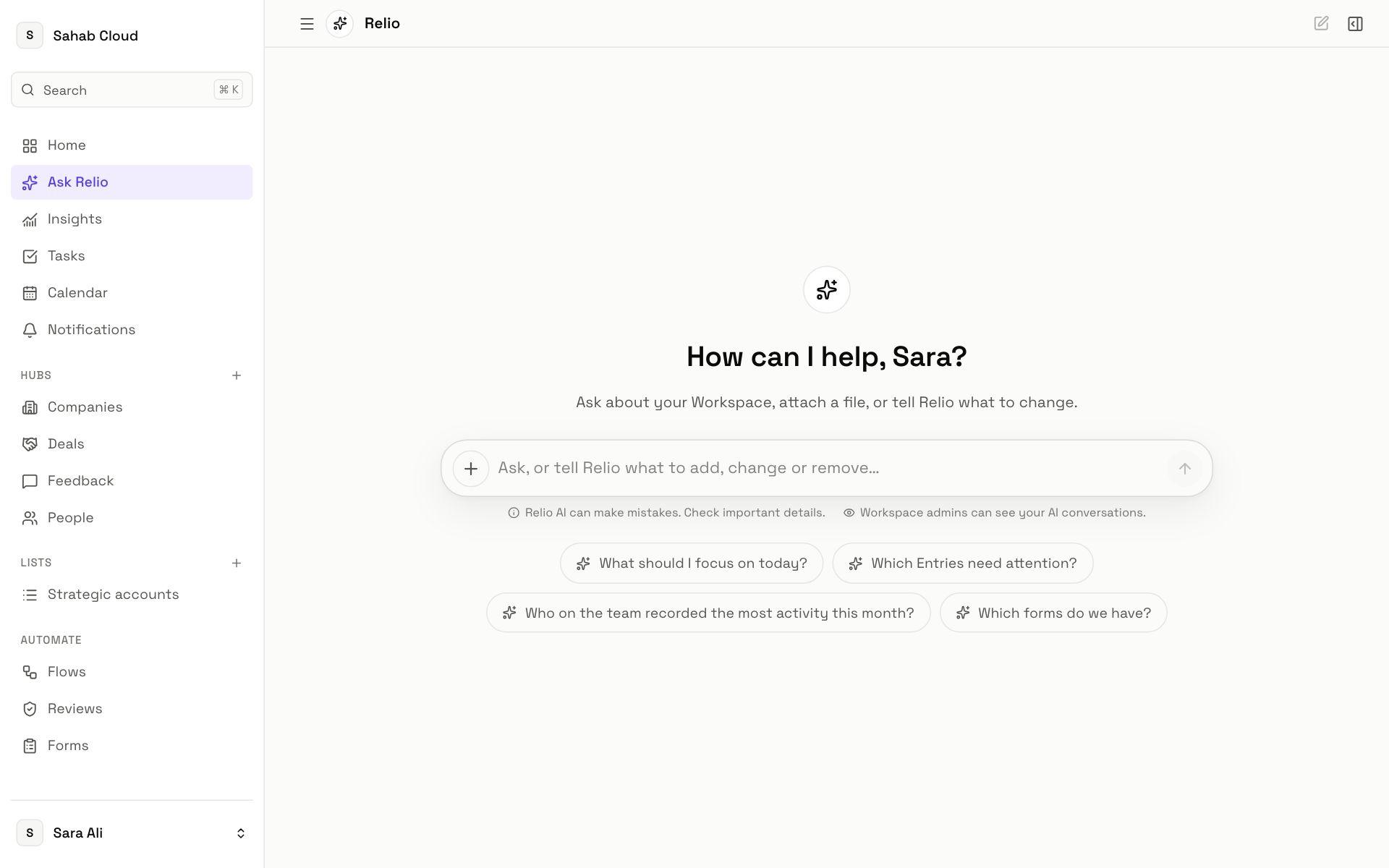
Two ways to ask
- Ask Relio in the sidebar opens the full page, with Your conversations listed beside it and New chat to start fresh.
- Relio in the top bar, or ⌘J, opens it beside whatever page you are on, so you can ask about what is in front of you — the Entry you are previewing, or the results you are looking at.
What an answer contains
- The answer in plain language.
- Returned Entries — the actual records, which you can open, and Save as new View to keep the result as a table.
- Charts for questions about totals or breakdowns, with the data listed beneath.
- Query used for this answer — the exact filter Relio built, so you can check it is what you meant.
- Sources — when an answer draws on several reads, and a note if any were partial.
What Relio can see
Only what you can see. Answers are built from your own permissions, so a Hub or Signal hidden from you is not part of the answer — Relio does not know it exists. Ask Relio never has a privileged route to data.
Changes it proposes
Ask Relio can prepare work for you:
- Create and assign Tasks — "create a follow-up for every deal closing this week".
- Reassign Tasks — balanced across a team, or to each Entry's owner.
- Draft a Form or build a Flow — opened as a draft you finish yourself.
- Read a file or a picture — Attach a spreadsheet or picture, or Photograph a business card, and it proposes the Entries to create.
Every proposal shows exactly what will happen. Nothing changes until you confirm. Not right? Tell Relio what to change.
Feedback and privacy
Mark answers helpful or unhelpful, or Report an issue — it helps your admins see where Relio AI needs better instructions.
Availability and credits
Ask Relio uses AI credits. Admins can switch it off for the workspace, a team or a person in Settings → AI access; if it is off for you, the page says so.
Checked against Relio on 29 October 2026